Proxy Manager
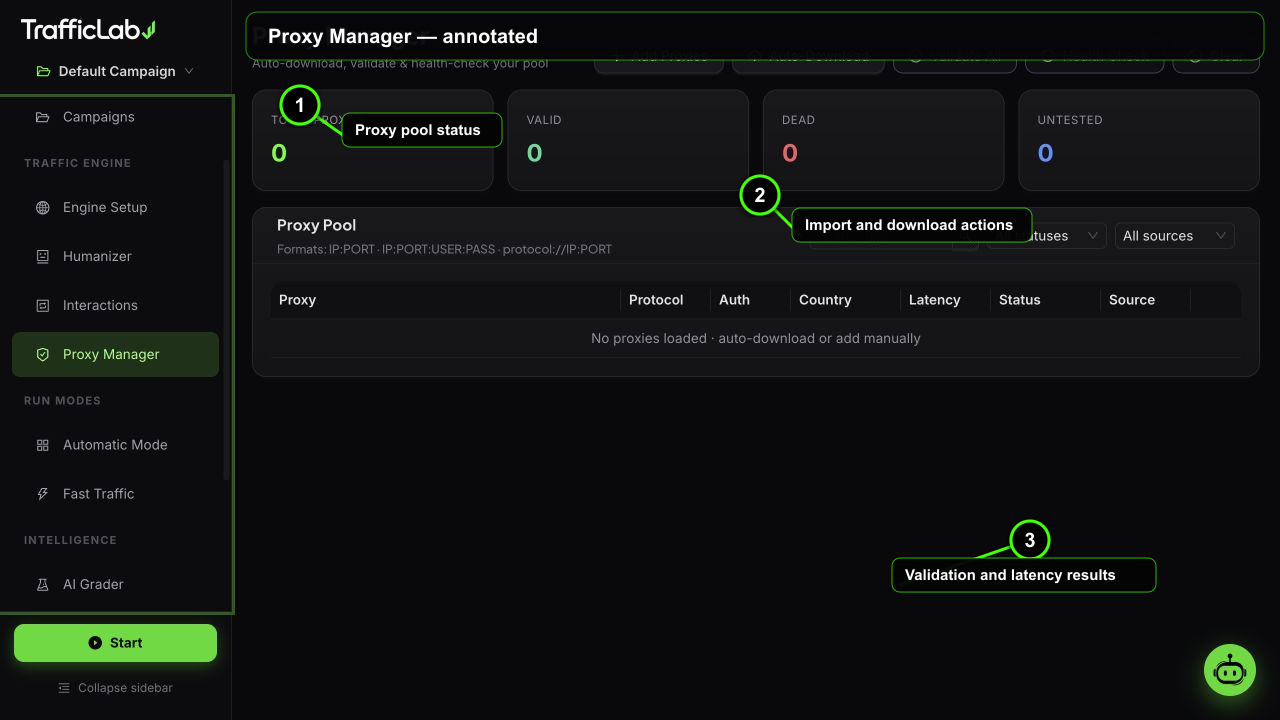
- 1Proxy pool status
- 2Import and download actions
- 3Validation and latency results
The Proxy Manager keeps a pool of HTTP, SOCKS4 and SOCKS5 proxies, validates them with real connection tests, and routes your sessions through the working ones.
Why proxies
- IP rotation: every session gets a different exit IP, which looks natural in analytics.
- Geo targeting: proxies define the country and city attached to a session.
- Health: only proxies that pass a real handshake enter the rotation.
Validation is not a ping check. Each proxy is tested with a real HTTP CONNECT (for HTTP proxies) or SOCKS4/SOCKS5 handshake over TLS, its latency is measured, and its exit IP and country are looked up. Proxies that fail are marked dead and skipped.
Add proxies manually
Press Add and paste one proxy per line. Supported formats:
192.168.1.10:8080
203.0.113.5:3128:user1:pass1
socks5://45.77.12.8:1080ip:port: plain HTTP proxy.ip:port:user:pass: HTTP proxy with authentication.socks5://ip:port: SOCKS5 proxy, protocol detected from the prefix. (SOCKS4 entries are detected during validation when they arrive from downloads.)- Source tag: manually added proxies are marked manual.
Auto-download
Press Auto to fetch proxies from public proxy lists (monosans, TheSpeedX, ShiftyTR and many more sources, up to 80 proxies per pull). The downloaded batch is validated automatically, and only the proxies that pass the real CONNECT test stay in the pool.
Validate and health check
- Validate: tests every proxy in the pool (12 in parallel), measures latency, resolves country, and updates statuses.
- Health check: re-tests only the currently valid and untested proxies. A quick way to prune a pool that has gone stale.
- Progress: a progress card shows live status while a batch is being processed.
Pool overview
The pool table shows IP:port, protocol tag (HTTP, SOCKS4, SOCKS5), auth, country, latency in milliseconds (color coded: green under 500 ms, gold under 1200 ms, red above), status and source. Filters at the top let you search by IP, filter by status (all, valid, dead, untested) and by source (manual, auto, premium).
Statuses and sources
| Field | Values | Meaning |
|---|---|---|
| Status | untestedvaliddead | Untested: not checked yet. Valid: passed the real handshake. Dead: failed and skipped during runs. |
| Source | manualautopremium | Manual: pasted by you. Auto: downloaded and auto-validated. Premium: marked by you or the bundle. |
| Latency | fast / slow / dead | Latency under 500 ms is green, under 1200 ms gold, above red. |
Using the pool
Turn on Use proxy in Engine Setup and the engine rotates through the valid proxies. Automatic Mode can restrict itself to premium proxies only. Each session records the country and city from its proxy, which feeds the dashboard geo charts and reports.
Related
- Engine Setup: the Use proxy switch.
- Automatic Mode: premium-only proxy filtering.