Annotated interface guide
3 calloutsAI Agent configuration
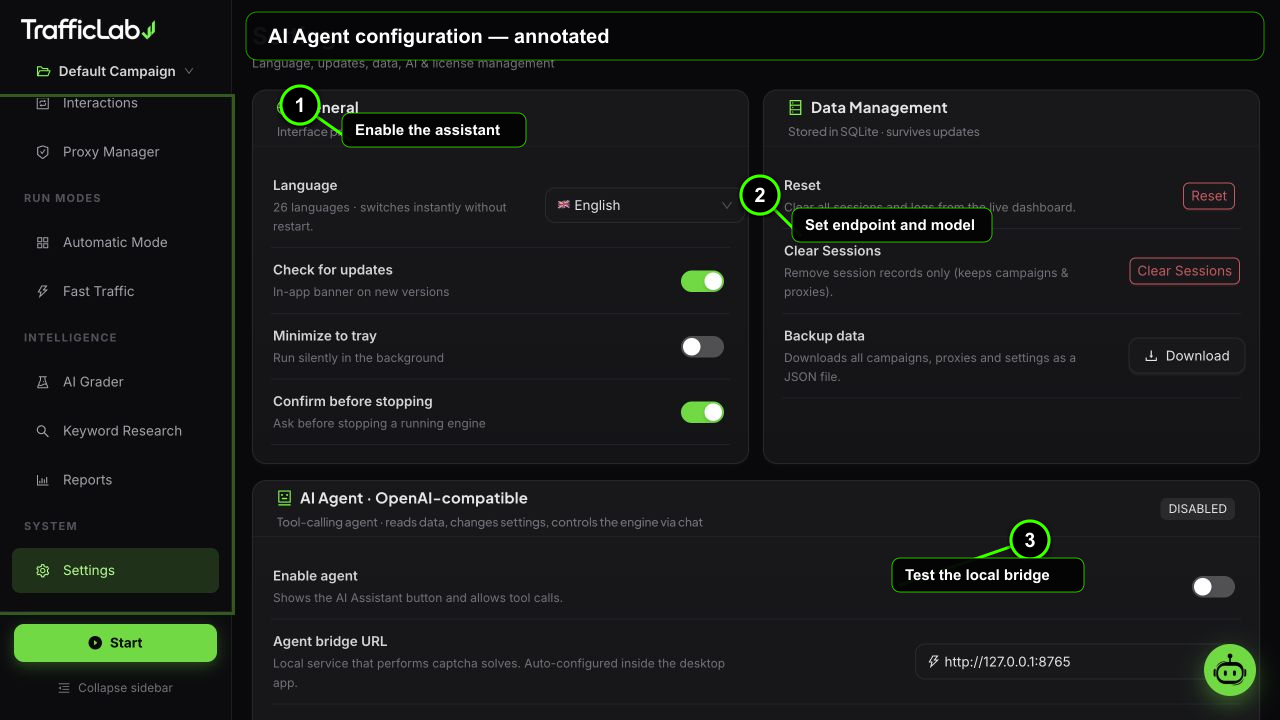
- 1Enable the assistant
- 2Set endpoint and model
- 3Test the local bridge
TrafficLab embeds an AI assistant (powered by the pi coding-agent engine) that lives in a chat drawer. It reads your data, changes settings, controls the engine and solves captchas, with streaming answers and live tool chips.
Setup
Open Settings, then the AI Agent card:
- Turn on the enable switch.
- Bridge URL: keep the default
http://127.0.0.1:8765and press Check. The bridge status tag turns green when the local bridge responds. - Base URL: an OpenAI-compatible endpoint, for example
https://api.deepseek.com/v1. - API key: your key for that endpoint.
- Model: press Load models to fetch the list from your endpoint, or type a custom model name and press Apply.
- Press Test connection. A green tag with latency confirms everything works.
| Option | Default | Values | Description |
|---|---|---|---|
| Bridge URL | http://127.0.0.1:8765 | any local URL | The local agent bridge that hosts the captcha service. The app checks its health automatically on launch. |
| Base URL | empty | OpenAI-compatible API root | Any compatible endpoint: OpenAI, DeepSeek, OpenRouter, local LLM servers and more. |
| Model | empty | from endpoint or custom | Picked from the fetched model list, or typed manually for endpoints that do not expose a list. |
What the agent can do
Tools and actionsThe agent always reads real data, it never invents numbers
- Read: dashboard stats, session counts, campaign list and configuration, engine status, logs.
- Change: campaign settings such as workers, session count, proxy toggle, warmup, humanizer, interactions, comments, ad clicks, search engine and browser mode.
- Control: start and stop the engine.
- Solve: captchas on demand through the 2Captcha service.
- Explain: summarize reports, suggest improvements, answer questions about the app.
When the agent needs to change something, it proposes an action and the app applies it through the store, so the UI always reflects what happened. You can abort a request at any time.
Using the chat drawer
- Opening: the drawer opens from the AI button in the header, and from every Ask AI button (grader, reports).
- Streaming: answers appear token by token while the request runs.
- Tool chips: each tool call shows a chip with the tool name while it executes.
- History: the conversation stays for the session and can be cleared.
- Markdown: answers render formatted text, lists and code blocks.
Example prompts:
text
Analyze my campaign "My Site Test" configuration and the grader
output, then give me the top 3 improvements.

Summarize my current campaign report and suggest next steps.

Set workers to 12 and enable warmup for the active campaign.
AI comments
The same configuration powers AI-generated comments in the Interaction Engine (mode: AI or Mixed). The agent writes comments with the tone, length and persona you selected.
Privacy
Your data stays localKeys and traffic never leave your machine unless you want them to
- API key: stored in the local app store and only sent to the endpoint you configured.
- Traffic data: never sent to any third party. The agent reads it locally.
- Captchas: sent only to the captcha provider you configured (2Captcha, rucaptcha or CapMonster Cloud).
Troubleshooting
If the chat says the agent is disabled or no API key is configured, check Settings. If the bridge status is red, restart the app: the bridge starts automatically on launch with a random per-run token.
Request timeout
A single request times out after 90 seconds. Very long tasks should be split into smaller questions.
Related
- AI Grader: where Ask AI suggestions come from.
- Interaction Engine: AI comment configuration.
- Captcha Service: captcha solving tools.