Annotated interface guide
3 calloutsApplication architecture
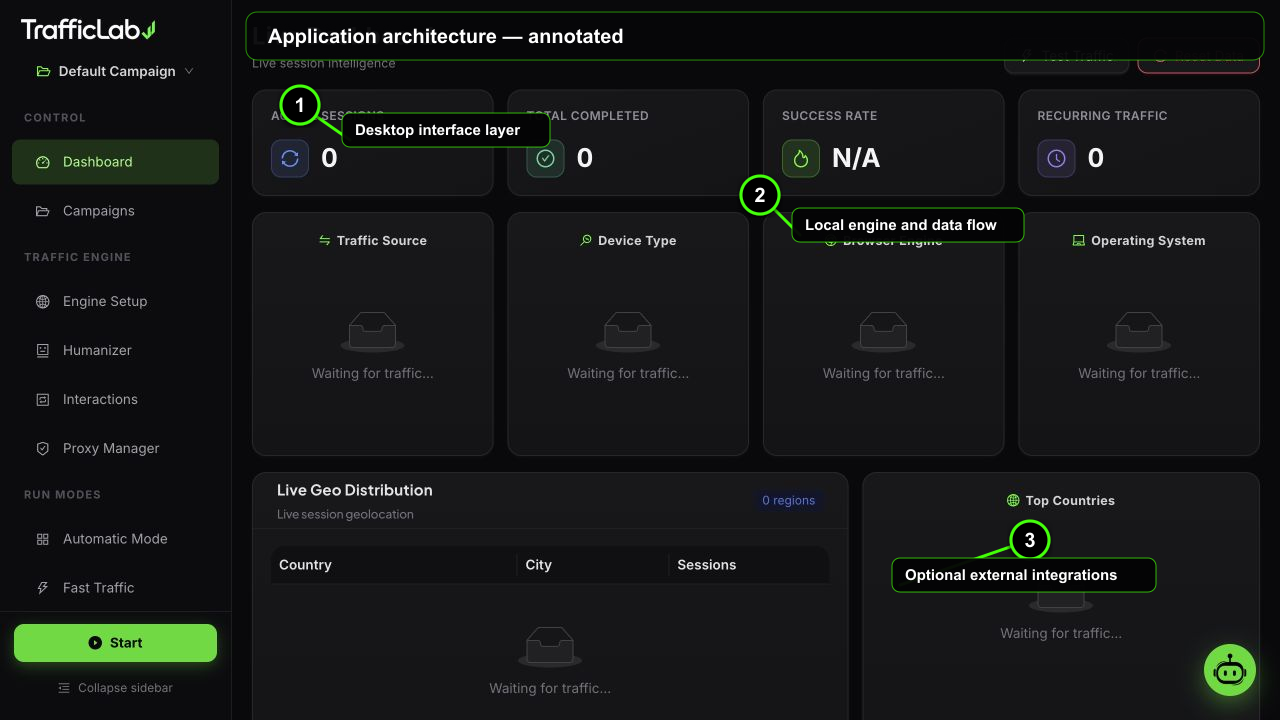
- 1Desktop interface layer
- 2Local engine and data flow
- 3Optional external integrations
TrafficLab is an Electron desktop app with a React renderer and a Node main process. The heavy work (real browsers, captcha API, proxies, keyword crawling) runs in the main process; the UI is a fast React single-page app.
Tech stack
Electron 43React 19TypeScriptViteZustandAnt Design 6RechartsPlaywrightpi coding-agent SDK2Captcha API
- Electron: app shell, IPC, window chrome, packaging.
- React + Vite: the renderer, code-split per page for instant startup.
- Zustand: single store as the source of truth, shared by UI, engine events and the AI agent.
- Ant Design 6: the premium dark gold interface (zinc dark theme, neon lime accent).
- Playwright: real Chromium sessions in the real engine.
- pi coding-agent SDK: the embedded AI agent in the main process.
Module map
text
electron/
├── main.mjs          # app shell, IPC, bridge host, engine/agent wiring
├── preload.cjs       # context-isolated window.tl API
├── realEngine.mjs    # REAL browser traffic engine (Playwright)
├── piAgent.mjs       # pi SDK agent (custom provider + tools + streaming)
├── proxyTester.mjs   # real HTTP/SOCKS4/SOCKS5 proxy validation
├── proxyFetcher.mjs  # real proxy list downloads
├── extractor.mjs     # real homepage link crawler
├── keywordSuggest.mjs# real search suggestion engine
├── ga4.mjs           # GA4 Measurement Protocol sender
└── env.mjs           # Playwright browser path bootstrap

server/
├── agent-bridge.mjs  # local HTTP bridge: 2Captcha API
└── typing.mjs        # human typing profile generator (shared)

src/                 # React renderer (Vite + Zustand + AntD)
├── pages/           # dashboard, campaigns, engine, humanizer, ...
├── engine/          # simulation, captcha, grader, keywords, ga4, llm
├── components/      # AI chat drawer, common UI
├── store/           # Zustand app store
└── i18n/            # 20 language dictionaries
Data flow
Renderer, main process and the worldEvents stream in one direction, state is shared
- Renderer ⇄ IPC ⇄ Main: the renderer calls the preload API (
window.tl) and receives streamed events. - Engine events: session spawn, updates and log lines stream to the live dashboard.
- Agent events: text deltas, tool calls and actions stream to the chat drawer; store mutations round-trip back to the renderer.
- Main ⇄ services: Playwright browsers, the 2Captcha API, proxy lists and search suggestion endpoints.
Human typing engine
Shared between the renderer (simulation) and the main process (real browsers), the typing module produces a per-keystroke delay profile:
- Variable key latency: log-normal-ish delays, no constant cadence (slow 120 to 320 ms, medium 55 to 190 ms, fast 38 to 95 ms per key).
- Muscle-memory bursts: occasional 3 to 6 character bursts at near-peak speed.
- Natural pauses: longer waits before and after spaces and punctuation.
- Shift chords: uppercase and special characters take longer.
- Typos and corrections: optional random typo followed by backspace and correction.
- Think time: a pause before the first keystroke.
Security model
Layers of protectionContext isolation, token bridge, CSP
- Context isolation: the renderer only sees the narrow
window.tlAPI from the preload script. - Token-protected bridge: the local captcha bridge listens on an ephemeral port with a random per-run token, blocking localhost CSRF.
- Content Security Policy: the app page restricts script, style and connect sources.
- Single instance lock: only one engine runs at a time.
- Source protection: shipped builds are Terser-mangled and packed in an asar archive; DevTools and inspect menus are disabled in production.
Packaging pipeline
- Browser version pin:
npm run verify:browserchecks the Windows download revision and SHA-256 against Playwright. - Build:
npm run buildcompiles TypeScript and bundles the renderer with Vite. - Protect:
npm run protectminifies the main process and server modules. - Package:
npm run dist:wincreates the NSIS installer;npm run dist:maccreates the macOS dmg and zip. - Private browser: Windows downloads Chromium during setup; macOS stages it in
resources/playwright-browsers. Neither path uses a personal browser profile.
QA
- Smoke test:
npm run test:smokeruns every page headless and fails on console errors. - Electron smoke:
TL_SMOKE=1 npx electron .boots the shell, verifies the bridge and engine, runs one real session, and exits 0 on success.
Why Electron for the engine
Real browser automation needs a full Node.js process with Playwright and bundled Chromium, which only the desktop app provides. That is why the real engine is desktop-only while the interface also runs in a plain browser with the simulation engine.
Related
- Installation: source build commands.
- AI Agent Chat: how the embedded agent works.